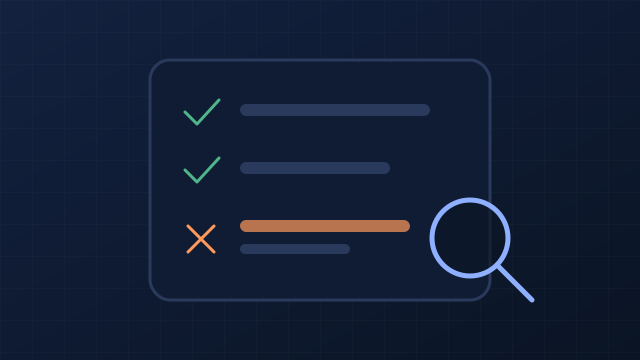
A technical SEO audit checks whether search engines can find, crawl, render and index your pages, and whether those pages load fast and work on phones. Start with anything that blocks crawling or indexing, because nothing else matters until that is fixed. Then check speed, mobile, on-page basics and structured data, and verify every fix.
- Fix crawl and index blocks first; a page Google can’t index can’t rank or appear in AI Overviews.
- Judge speed on real-user data: Core Web Vitals are assessed at the 75th percentile of page loads.
- An audit is a loop, not a report: prioritise, fix, verify, monitor, repeat after every big site change.
What a technical audit checks
A technical audit looks at the plumbing, not the persuasion. It doesn’t judge whether your content is the best answer; it checks that search engines can reach and understand it at all. This table is the map for the rest of the guide.
| Area | Question it answers | Where to check | Priority |
|---|---|---|---|
| Crawling | Can search engines reach the pages? | robots.txt, internal links, sitemap | Critical |
| Indexing | Are the right pages stored and shown? | Search Console Page indexing report | Critical |
| Speed | Do pages load and respond quickly for real users? | Search Console Core Web Vitals, PageSpeed Insights | High |
| Mobile and security | Do pages work on phones and over HTTPS? | A real phone, browser address bar | High |
| On-page and structured data | Are titles, headings and markup clear and valid? | Page source, Rich Results Test | Medium |
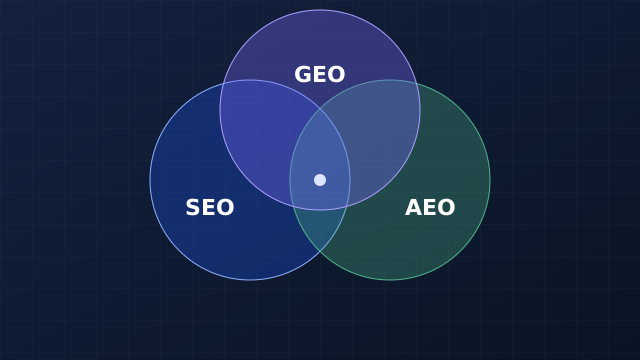
If you’re new to how technical work fits with content and AI search, first understand SEO, AEO and GEO; this audit is the foundation layer in that model.
Step 1: Check that search engines can crawl the site
Google finds pages mainly by following links and reading sitemaps. Anything that stops it fetching a page stops everything after it (How Google Search works).
robots.txt. Open yoursite.com/robots.txt. It should exist and must not block pages you want found. Note what it is for: Google says robots.txt manages crawler traffic and is not a way to keep a page out of Google; use noindex or password protection for that (robots.txt introduction). A blocked page can still be indexed from links, just without its content.
User-agent: *
Disallow: /cart/          # ① fine: private, low-value pages
Disallow: /services/      # ② problem: blocks the pages that earn money
User-agent: OAI-SearchBot
Allow: /                  # ③ a deliberate choice about an AI search crawler
Sitemap: https://www.example.com/sitemap.xml # ④ tells crawlers where the list is- Blocking carts, account and admin areas saves crawl effort on pages that shouldn’t rank.
- Blocking a whole section of service pages is a common copy-paste error from a staging site. Remove the line.
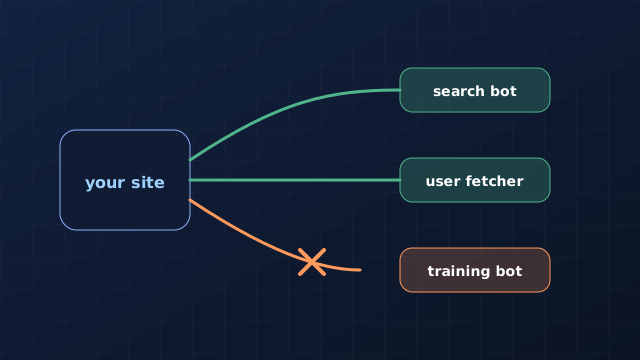
- AI crawlers are named separately; decide on purpose which ones may fetch your site.
- Listing the sitemap here helps every crawler find it.
Internal links. Google can only follow links that are real <a href> elements with a URL; links that only work through JavaScript click handlers may not be followed (Make your links crawlable). Every important page should be reachable from your navigation or from another page. Pages nothing links to (orphans) are easy to miss.
XML sitemap. Google says a site of about 500 pages or fewer that is well linked internally may not need one (Sitemaps overview). We still recommend one: it is cheap, and it gives you a clear list to compare against what is actually indexed. Include only pages you want in search, and submit it in Search Console.
Rendering. View the page source (not the inspector). If your main text, links and headings are missing until JavaScript runs, some crawlers, including several AI crawlers, may never see them.
Step 2: Diagnose indexing problems
Crawled isn’t the same as indexed. Google decides which pages to store and which version of duplicate pages to show, and it doesn’t guarantee to index any page. Search Console’s Page indexing report lists every page Google knows about and why each excluded page was left out. Go through each reason:
- Excluded by noindex: intended for thank-you pages and internal search; a mistake on a service page.
- Duplicate or alternate canonical: Google picked another URL as the main version. Make sure your canonical tags point to the version you want, and that internal links use it too. Google’s SEO Starter Guide explains how duplicate content and canonical URLs work.
- Not found (404) and server errors (5xx): fix or redirect pages that should exist; let truly removed pages return 404 or 410.
- Page with redirect: fine for old URLs; a problem if your own links point at redirecting URLs. Link straight to the final URL and avoid chains of several redirects.
- Crawled or discovered but not indexed: often a quality or duplication signal rather than a technical fault. Improve or merge thin pages.
Step 3: Measure speed with real-user data
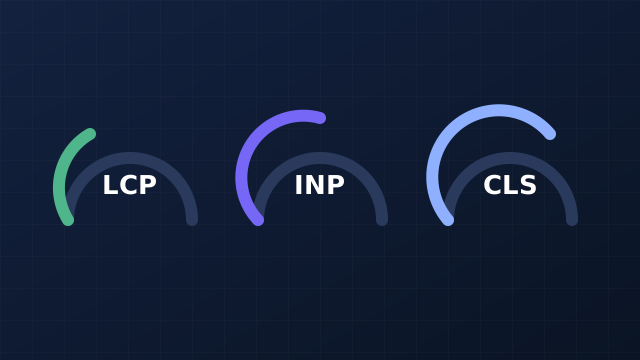
Core Web Vitals are Google’s three user-experience measures. The recommended targets are a Largest Contentful Paint (LCP, loading) within 2.5 seconds, an Interaction to Next Paint (INP, responsiveness) of 200 milliseconds or less, and a Cumulative Layout Shift (CLS, visual stability) of 0.1 or less, measured at the 75th percentile of page loads on mobile and desktop separately (Web Vitals). Google uses them in Search as part of page experience (Core Web Vitals and Google Search).
The 75th percentile matters: a page passes only if three in four real visits meet the target. A fast test on office Wi-Fi tells you little. Use Search Console’s Core Web Vitals report (real users, grouped by page type) to find problems, and PageSpeed Insights to diagnose one page. Our guide to Core Web Vitals: LCP, INP and CLS explains each metric and the fixes that usually move it.
The usual fixes, in rough order of payoff: compress and correctly size images (and give them width and height to stop layout shift), remove or defer scripts you don’t need, use caching and compression on the server, and avoid fonts and banners that push content around after load.
Step 4: Check mobile, security and on-page basics
Many of your visitors arrive on a phone, so audit on a phone first. Check that the page has a viewport tag, text is readable without zooming, buttons are easy to tap and nothing scrolls sideways. Every URL should load over HTTPS, with HTTP versions redirecting to it in one step.
Then the on-page basics, page by page:
- Titles: unique and descriptive. Google says there’s no limit on title length, but it truncates long titles to fit the screen, so put the important words first (Title links).
- Meta descriptions: unique summaries. Google may show them as the snippet when they describe the page better than its text (Snippets).
- Headings: one H1 that states the topic; H2s and H3s in order.
- Images: descriptive alt text and real
<img>elements (Image SEO best practices).
Step 5: Check structured data and AI crawler access
Structured data (Schema.org markup in JSON-LD) describes your business and pages in a form machines can read (Intro to structured data). Check it with the Rich Results Test and make sure it matches what’s visible on the page. Set expectations correctly: Google does not guarantee that valid markup will produce a rich result.
For AI search, confirm that the AI search crawlers you want are allowed in robots.txt and that your key facts are in the HTML. Each AI company documents its own crawler names, and they change, so check the current documentation before blocking any of them. AI crawlers and robots.txt sets out which bots do what and a sensible starting file. Check too that nothing on the page limits Google’s AI features by accident: Google AI Overviews and AI Mode: how to control them and report on them covers nosnippet and the Search Console setting, and how to get cited in AI answers turns the findings into page-level fixes.
- Money: one wrong line in robots.txt or a stray noindex can hide your highest-earning pages. These are the cheapest fixes with the biggest effect.
- Time: a small site can work through steps 1 and 2 in an afternoon with Search Console. Speed fixes usually need a developer.
- Risk: re-audit after every redesign, platform move or plugin change. That’s when most technical problems appear.
Prioritise the fixes, then fix one issue type at a time
An audit usually finds more than you can fix at once. Sort by impact and effort: blocks to important pages first, then problems affecting many pages through one template, then single-page tidy-ups. Our guide on how to prioritise SEO improvements explains the impact-and-effort matrix in detail.
Fix one type of issue at a time, across all affected pages. That makes it clear which change caused which result, and it makes mistakes easy to undo.
Verify every fix and keep watching
A fix isn’t done when the developer says so; it’s done when the page passes the check again. Re-test with the same tool that found the problem, use Search Console’s URL Inspection to request a recrawl of important pages, and use “Validate fix” in the Page indexing report. Then monitor: indexing and Core Web Vitals reports monthly, and a full re-audit after major changes.
- Site loads on HTTPS; HTTP redirects to it in one step.
- robots.txt exists and doesn’t block important pages.
- An XML sitemap lists indexable pages and is submitted in Search Console.
- No important page carries noindex.
- Canonical tags point to the preferred URL; internal links use it.
- Page indexing report reviewed; every exclusion reason understood.
- No important pages return 4xx or 5xx errors.
- No broken internal links.
- No redirect chains; links point at final URLs.
- No orphan pages.
- Links are real
<a href>elements. - Main content, links and headings are in the HTML source.
- LCP within 2.5 s at the 75th percentile.
- INP 200 ms or less.
- CLS 0.1 or less; images and embeds have dimensions.
- Compression and caching enabled.
- Viewport set; pages work on a phone without zooming or sideways scrolling.
- Every page has a unique, descriptive title.
- Every page has a unique meta description.
- One H1 per page; headings in order.
- Images have descriptive alt text.
- Organization or LocalBusiness structured data is valid and matches the page.
- Contact, About and privacy pages are easy to find.
- Chosen AI search crawlers are allowed.
- A date is set for the next audit.
Your next step
Open Search Console’s Page indexing report today and work through step 2; it is the fastest way to find a costly problem. To run most of these checks across your whole site automatically, try the free 2-week AIRankSurge beta, which lists issues by priority so you know what to fix first.
Sources and methodology
- Google Search Central, How Google Search works: crawling, indexing, no guarantee of indexing.
- Google Search Central, Introduction to robots.txt: not a mechanism for keeping pages out of Google.
- Google Search Central, Make your links crawlable and Sitemaps overview.
- Google Search Central, SEO Starter Guide: duplicate content and canonical URLs.
- web.dev, Web Vitals, and Google Search Central, Core Web Vitals: thresholds and the 75th percentile.
- Google Search Central, Title links, Snippets and Image SEO.
- Google Search Central, Intro to structured data and structured data general guidelines: no guarantee of rich results.
Methodology. The checks follow the Google documentation above, read and checked on 28 October 2026. The robots.txt example is illustrative. Thresholds can differ between tools; Search Console’s field data is the reference for Google Search.
Reviewed .